Contents Menu Expand Light mode Dark mode Auto light/dark, in light mode Auto light/dark, in dark mode Skip to content
cs461

cs461

  • main
  • Lit Learning πŸ¦„

Adventure Book

  • Week 1: Android Basics
  • Week 2: Building App UI
  • Week 3: State
  • Week 4: The Sketch
  • Week 5: Display Lists
  • Week 6: Lifecycle and App Architecture
  • Week 7: Navigation
  • Week 8
  • Week 9: Connect to the Internet
  • Week 10: Data Persistence
  • Week 11: WorkManager
  • Week 12: Trial Exam
  • Week 13: The Showcase
  • Unit 1: Your first Android app
    • Unit 1 Pathway 1: Introduction to Kotlin
      • Welcome to Android Basics with Compose
      • Your first program in Kotlin
      • Create and use variables in Kotlin
      • Create and use functions in Kotlin
      • Practice: Kotlin Basics
    • Unit 1 Pathway 2: Android Studio Setup
      • Introduction to Android Studio
      • Download and install Android Studio
      • Create your first Android app
      • Run your first app on the Android Emulator
      • How to connect your Android device (optional)
    • Unit 1 Pathway 3: Build a basic layout
      • Intro to Jetpack Compose
      • Design a birthday card app
      • Build a simple app with text composables
      • Add images to your Android app
      • Practice: Compose Basics
      • Project: Create a Business Card app
    • Unit 1 Quizzies
  • Unit 2: Building app UI
    • Unit 2 Pathway 1: Kotlin fundamentals
      • Kotlin fundamentals
      • Write conditionals in Kotlin
      • Use nullability in Kotlin
      • Use classes and objects in Kotlin
      • Use function types and lambda expressions in Kotlin
      • Practice: Kotlin Fundamentals
    • Unit 2 Pathway 2: Add a button to an app
      • Intro to Dice Roller app
      • Create an interactive Dice Roller app
      • Use the debugger in Android Studio
      • Practice: Click behavior
    • Unit 2 Pathway 3: UI and state
      • Understanding state in Compose
      • Intro to tip calculator
      • Intro to state in Compose
      • Calculate a custom tip
      • Write automated tests
      • Project: Create an Art Space app
    • Unit 2 Quizzies
  • Unit 3: Display Lists and Use Material Design
    • Unit 3 Pathway 1: More Kotlin fundamentals
      • Unit 3 Pathway 1 Activity 1: More Kotlin Fundamentals
      • Unit 3 Pathway 1 Activity 2: Generics, Objects, Extensions
      • Unit 3 Pathway 1 Activity 3: Use collections in Kotlin
      • Unit 3 Pathway 1 Activity 4: Higher-order functions with collections
      • Unit 3 Pathway 1 Activity 5: Practice: Classes and Collections
    • Unit 3 Pathway 2: Build a scrollable list
      • Unit 3 Pathway 2 Activity 1: Intro to Affirmations App
      • Unit 3 Pathway 2 Activity 2: Add a scrollable list
      • Unit 3 Pathway 2 Activity 3: Change the app icon
      • Unit 3 Pathway 2 Activity 4: Practice: Build a grid
    • Unit 3 Pathway 3: Build beautiful apps
      • Unit 3 Pathway 3 Activity 1: Intro to Material Design with Compose
      • Unit 3 Pathway 3 Activity 2: Material Theming with Jetpack Compose
      • Unit 3 Pathway 3 Activity 3: Simple animation with Jetpack Compose
      • Unit 3 Pathway 3 Activity 4: Testing for Accessibility
      • Unit 3 Pathway 3 Activity 5: Practice: Build Superheroes app
      • Unit 3 Pathway 3 Activity 6: Project: Create a 30 Days App
    • Unit 3 Quizzies
  • Unit 4: Navigation and app architecture
    • Unit 4 Pathway 1: Architecture Components
      • Unit 4 Pathway 1 Activity 1: Welcome to Unit 4
      • Unit 4 Pathway 1 Activity 2: Stages of the Activity lifecycle
      • Unit 4 Pathway 1 Activity 3: Intro to App architecture
      • Unit 4 Pathway 1 Activity 4: Architecture: The UI Layer
      • Unit 4 Pathway 1 Activity 5: ViewModel and State in Compose
      • Unit 4 Pathway 1 Activity 6: Write unit tests to test the ViewModel (optional)
      • Unit 4 Pathway 1 Activity 7: Practice: Add a ViewModel to Dessert Clicker
    • Unit 4 Pathway 2: Navigation in Jetpack Compose
      • Unit 4 Pathway 2 Activity 1: Introduction to Navigation and Cupcake App
      • Unit 4 Pathway 2 Activity 2: Navigate between screens with Compose
      • Unit 4 Pathway 2 Activity 3: Test the Cupcake app (optional)
      • Unit 4 Pathway 2 Activity 4: Practice: Add navigation
    • Unit 4 Pathway 3: Adapt for different screen sizes
      • Unit 4 Pathway 3 Activity 1: Adaptive layouts
      • Unit 4 Pathway 3 Activity 2: Intro to Reply app
      • Unit 4 Pathway 3 Activity 3: Build an adaptive app with dynamic navigation
      • Unit 4 Pathway 3 Activity 4: Build an app with an adaptive layout
      • Unit 4 Pathway 3 Activity 5: Practice: Build Sports app
      • Unit 4 Pathway 3 Activity 6: Project: Create a My City app
    • Unit 4 Quizzies
  • Unit 5: Connect to the internet
    • Unit 5 Pathway 1: Get data from the internet
      • Unit 5 Pathway 1 Activity 1: Connect to the internet
      • Unit 5 Pathway 1 Activity 2: Introduction to Coroutines in Kotlin Playground
      • Unit 5 Pathway 1 Activity 3: Introduction to Coroutines in Android Studio
      • Unit 5 Pathway 1 Activity 4: Introduction to HTTP/REST
      • Unit 5 Pathway 1 Activity 5: Get data from the internet
    • Unit 5 Pathway 2: Load and display images from the internet
      • Unit 5 Pathway 2 Activity 1: Architecture: The Data Layer
      • Unit 5 Pathway 2 Activity 2: Add repository and Manual Dependency Injection
      • Unit 5 Pathway 2 Activity 3: Load and display images from the internet
      • Unit 5 Pathway 2 Activity 4: Practice: Build amphibians app
      • Unit 5 Pathway 2 Activity 5: Project: Create a Bookshelf app
    • Unit 5 Quizzies
  • Unit 6: Data persistence
    • Unit 6 Pathway 1: Introduction to SQL (optional)
      • Unit 6 Pathway 1 Activity 1: Introduction to Databases and SQL
      • Unit 6 Pathway 1 Activity 2: Use SQL to read and write to a database
    • Unit 6 Pathway 2: Use Room for data persistence
      • Unit 6 Pathway 2 Activity 1: Kotlin Flows in Practice
      • Unit 6 Pathway 2 Activity 2: Flows
      • Unit 6 Pathway 2 Activity 3: Using Room Kotlin APIs
      • Unit 6 Pathway 2 Activity 4: Persist Data with Room
      • Unit 6 Pathway 2 Activity 5: Read and update data with Room
      • Unit 6 Pathway 2 Activity 6: Practice: Build Bus Schedule app
    • Unit 6 Pathway 3: Store and access data using keys with DataStore (optional)
      • Unit 6 Pathway 3 Activity 1: Introduction to Datastore
      • Unit 6 Pathway 3 Activity 2: Preferences Datastore
      • Unit 6 Pathway 3 Activity 3: Save preferences locally with DataStore
      • Unit 6 Pathway 3 Activity 4: Project: Create a flight search app
    • Unit 6 Quizzies
  • Unit 7: WorkManager
    • Unit 7 Pathway 1: Schedule tasks with WorkManager
      • Unit 7 Pathway 1 Activity 1: Introduction to WorkManager
      • Unit 7 Pathway 1 Activity 2: Implementing WorkManager
      • Unit 7 Pathway 1 Activity 3: Background work with WorkManager
      • Unit 7 Pathway 1 Activity 4: Advanced WorkManager
      • Unit 7 Pathway 1 Activity 5: Practice: Build Water Me app
    • Unit 7 Quizzies

Hidden Gems πŸ’Ž

  • class part tracker
  • board
  • G1-1 πŸ“‚
  • G1-2 πŸ“‚
  • G1-3 πŸ“‚
  • G1-4 πŸ“‚
  • G1-5 πŸ“‚
  • G1-6 πŸ“‚
  • G1-7 πŸ“‚
  • G1-8 πŸ“‚
Back to top

Week 8ΒΆ

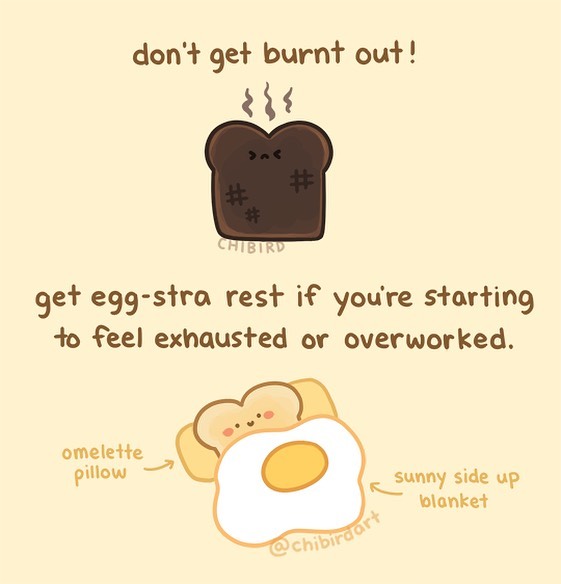
../_images/eggstra-rest.jpg
Next
Week 9: Connect to the Internet
Previous
Week 7: Navigation
Copyright © plee Β· 2026
Made with Sphinx and @pradyunsg's Furo