Your first program in Kotlin
Before you begin
In this course, you will build apps by writing code in the Kotlin programming language, which is the language recommended by Google when creating new Android apps.
Kotlin is a modern programming language that helps developers be more productive. Kotlin allows you to be more concise and write fewer lines of code for the same functionality compared to other programming languages. Apps that are built with Kotlin are also less likely to crash, resulting in a more stable and robust app for users.
To get started on building Android apps in Kotlin, it’s important to first establish a solid foundation of programming concepts in Kotlin.
What you’ll build
Short programs in Kotlin that display messages when you run them.
What you’ll learn
How to write and run a simple Kotlin program.
How to modify a simple program to change the output.
What you’ll need
A computer with internet access and a web browser.
Get started
To practice the basics of the Kotlin language, you will use an interactive code editor called the Kotlin Playground. You can access it from a web browser, so you don’t need to install any software on your computer. You can edit and run Kotlin code directly in the Kotlin Playground and see the output.
Note that you can’t build Android apps within the Kotlin Playground. In later pathways, you will install and use a tool called Android Studio to write and edit your Android app code.
Open Kotlin Playground
In a web browser on your computer, open the Kotlin Playground.
There’s already some default code populated in the code editor. These three lines of code make up a simple program:
fun main() {
    println("is delulu the solulu? may your yololu come trululu at smululu")
}
Run your first program
Click ▶️ to run your program.
When you click the Run button, a lot happens. Code in the Kotlin programming language is meant to be understood by humans. However, your computer doesn’t understand this language (no, AI doesn’t count).
You need something called the Kotlin compiler, which takes the Kotlin code you wrote, looks at it line by line, and translates it into something that the computer can understand. This process is called compiling your code. It is also called building your code. The terms compile and build are synonymous. They refer to the process of translating your human-readable source code into a computer-readable form.
If your code compiles successfully, your program will run (or execute). When the computer executes your program, it performs each of your instructions. Executing instructions are like following steps in a recipe.
A Kotlin program is required to have a
main()function, which is the specific place in your code where the program starts running. Themain()function is the entry point, or starting point, of the program.
Parts of a function
In Kotlin, function definitions must begin with the keyword
fun.The
funis followed by thefunction name
inputs in parentheses
curly braces around the function body
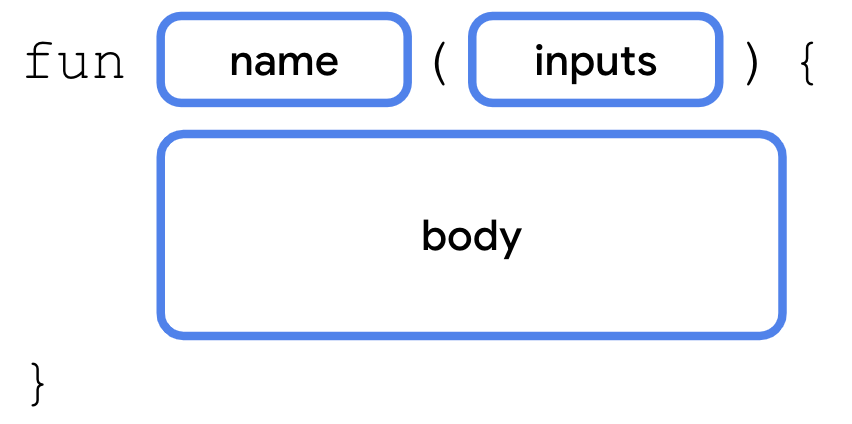
Choose an appropriate name for your function based on the purpose of the function. The name is usually a verb or verb phrase. Avoid using a Kotlin keyword as a function name.
Function names should follow the camel case convention, where the first word of the function name is all lower case. There are no spaces between words, and all other words should begin with a capital letter. Examples:
calculateTip()displayErrorMessage()takePhoto()
Kotlin style guide
In this mod, you’ll learn about good coding practices to follow as an Android developer. One such practice is to follow Google’s Android coding standards for code written in Kotlin. The complete guide is called a style guide and explains how code should be formatted in terms of visual appearance and the conventions to follow when writing your code. For example, the style guide includes recommendations on use of whitespace, indentation, naming, and more.
The purpose of following the style guide is to make your code easier to read and more consistent with how other Android developers write their code. This consistency is important when collaborating on large projects together, so that the style of code is the same throughout all the files in the project.
Here are some of the relevant style guide recommendations for what you’ve learned in Kotlin so far:
Function names should be in camel case and should be verbs or verb phrases.
Each statement should be on its own line.
The opening curly brace should appear at the end of the line where the function begins.
There should be a space before the opening curly brace.
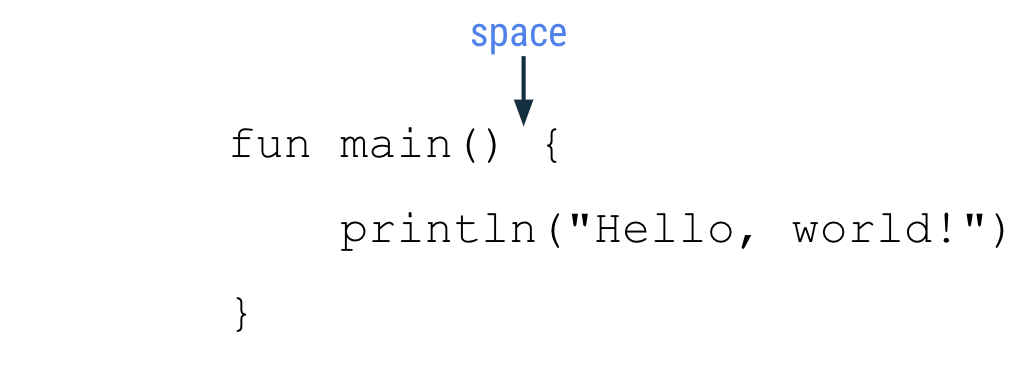
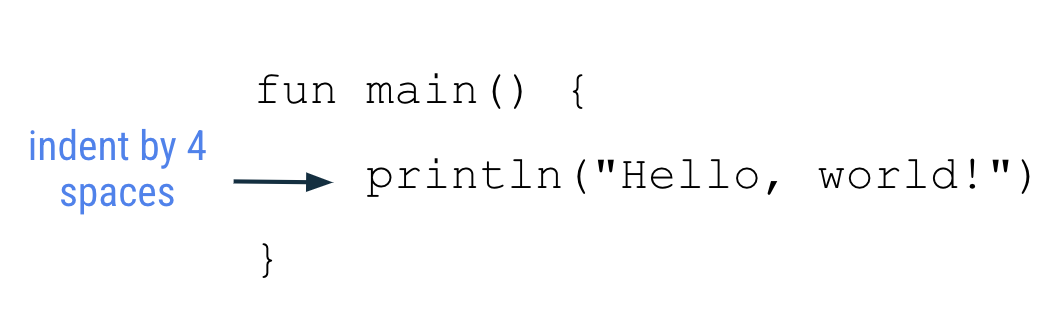
The function body should be indented in by 4 spaces. Do not use tabs to indent your code.
The closing curly brace is on its own line after the last line of code in the function body. The closing brace should line up with the
funkeyword at the beginning of the function.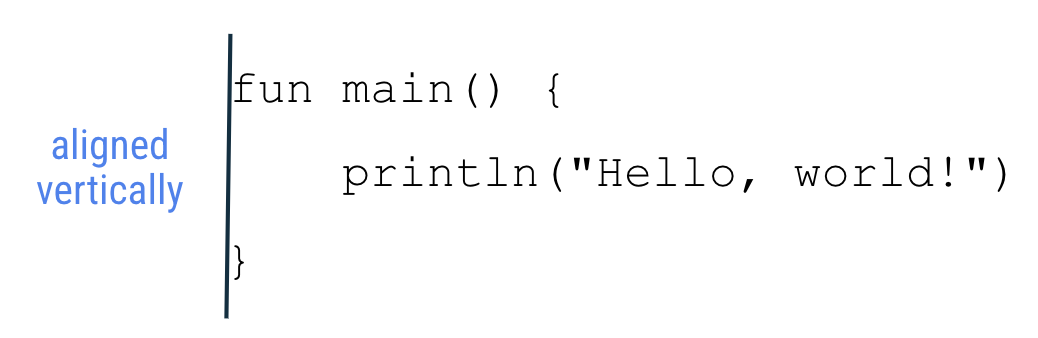
For details on coding style, see the Kotlin style guide.
Conclusion
A Kotlin program requires a
main()function as the entry point of the program.To define a function in Kotlin, use the
funkeyword, followed by the name of the function, any inputs enclosed in parentheses, followed by the function body enclosed in curly braces.The name of a function should follow camel case convention and start with a lowercase letter.
Use the
println()function call to print some text to the output.Refer to the Kotlin style guide for formatting and code conventions to follow when coding in Kotlin.