Unit 5 Pathway 2 Activity 4: Practice: Build amphibians app
Before you begin
Introduction
In this unit, you learned how to take your app to the next level by retrieving data from the internet. Your app can now show the latest data available from the server and is not restricted to what was statically available when you opened the app. This is very important functionality in most of the real world applications.
In this practice set, you will take the concepts you learned and create an Amphibians app. This app will retrieve amphibian data from the internet and display it in a scrolling list.
Prerequisites
Android Basics with Compose coursework through the Load and display images from the internet codelab.
What you’ll need
A computer with internet access and Android Studio installed.
What you’ll build
In this practice set, you will build an app to display a list of amphibians, along with their details and image. The data is retrieved from the internet by making a network request and contains each amphibian’s name, type, description, and image URL.
The amphibian JSON data is hosted at https://android-kotlin-fun-mars-server.appspot.com/amphibians.
The provided solution code displays the following UI design:
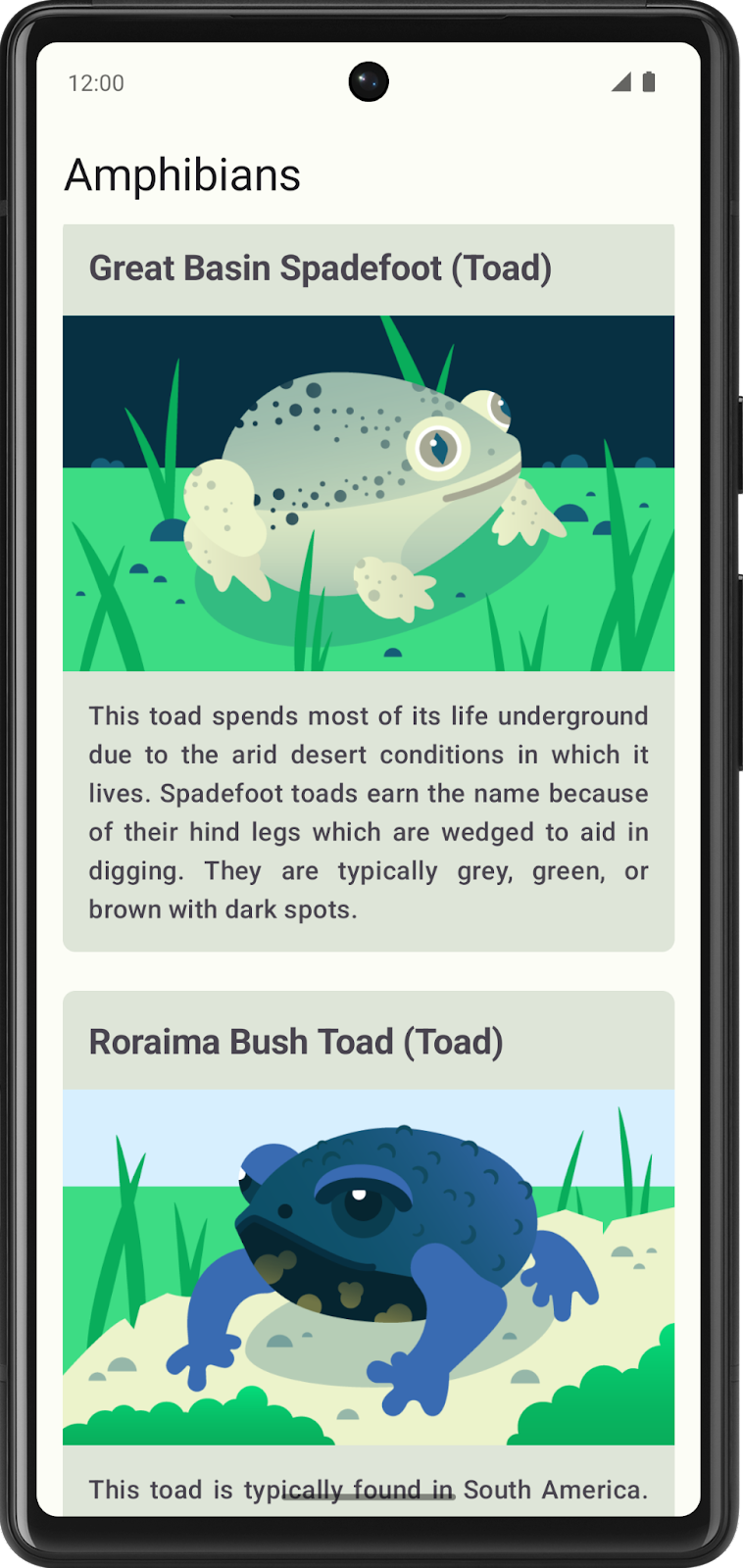
The following sections provide the general steps to create the app. You are not required to follow them, but they are provided to help guide you along the way.
Plan the app
Before you begin coding, take some time to understand the Mars Photo App, then sketch out the different elements for your app and how they connect together.
Doing this preparation work helps identify what you need to do, might indicate where you can run into problems, and helps you think about ways to resolve issues.
Start with the solution code
Instead of starting from scratch, do this.
Checkout the solution code from https://github.com/google-developer-training/basic-android-kotlin-compose-training-amphibians/tree/main
Branch: main
Open the project in Android Studio and run it to see how it works.
Remove the code from these files below, but keep all
packageandimportstatements.data/AmphibiansRepository.kt
data/AppContainer.kt
network/Amphibians/ApiService.kt
AmphibiansApplication.kt
Fill in the code for these files. Refer to the Mars Photos app if necessary.
If this is too difficult, at least read the solution code and understand how it works.