Unit 7 Pathway 1 Activity 5: Practice: Build Water Me app
Before you begin
Introduction
In this unit, you learned about WorkManager, which is a Jetpack library for deferrable background work. This background work is guaranteed to run even if you close its source app.
While learning about WorkManager, you learned how to define work in a Worker class, how to create a WorkRequest for the Worker, and how to enqueue and schedule work.
In this practice set, you take the concepts you learned and enhance the Water Me! app.
The solution code is available at the end. To make the most of this learning experience, try to implement and troubleshoot as much as you can before looking at the provided solution code. It is during this hands-on time that you learn the most.
Prerequisites
Android Basics with Compose coursework through the Advanced WorkManager and Testing codelab
What you’ll need
A computer with internet access and Android Studio
What you’ll build
In this practice set, you take the concepts you learned and enhance the Water Me! app.
The app currently displays a list of plants in a scrolling list. When you tap on a plant, the app lets you set a reminder to water the plant.

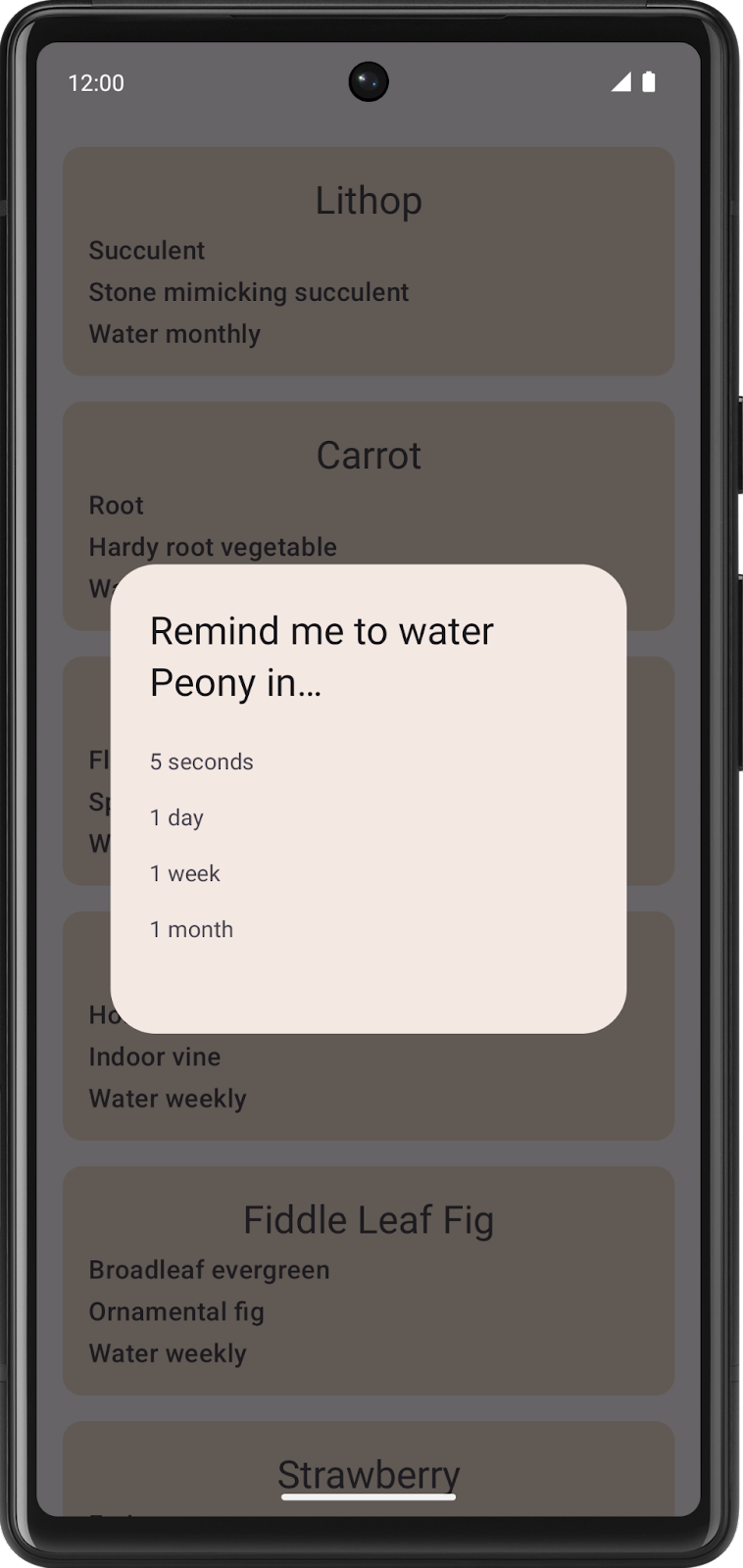
While you can select a reminder timeframe, the reminder notification doesn’t display.
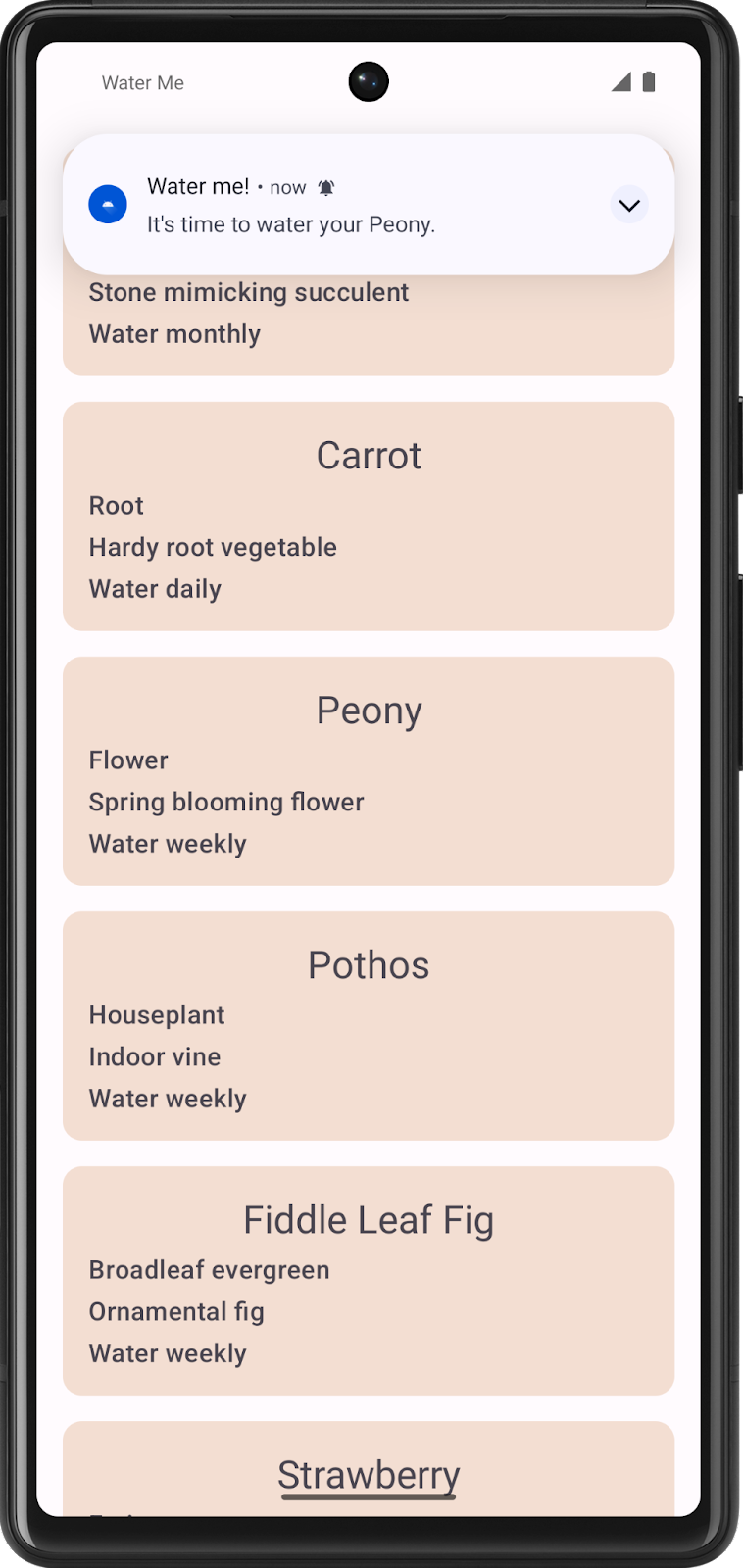
Your job is to implement the background work for the reminder notification to display.
After you complete your code, the app can then display a reminder notification after a selected time duration elapses.
Get the starter code
Branch: starter
Clone:
$ git clone https://github.com/google-developer-training/basic-android-kotlin-compose-training-waterme.git
$ cd basic-android-kotlin-compose-training-waterme
$ git checkout starter
Schedule notification using WorkManager
The functionality for the Water Me! app is mostly implemented except for the ability to schedule the reminder notification.
The code to make a notification is in the
WaterReminderWorker.ktfile, which is in the worker package. TheWaterReminderWorkerclass extends theCoroutineWorkerclass, and the code to make the notification is inside itsdoWork()method.This code is already complete, no changes needed.
override suspend fun doWork(): Result {

    val plantName = inputData.getString(nameKey)

    makePlantReminderNotification(
        applicationContext.resources.getString(R.string.time_to_water, plantName),
        applicationContext
    )

    return Result.success()
}
Important
Enable notifications on the app (long-press the app icon, App info, allow notifications), otherwise the notifications will not appear.
Your task is to create a
OneTimeWorkRequestthat calls this method with the correct parameters from theWorkManagerWaterRepository.
Create work requests
To schedule the notification, you need to implement the
scheduleReminder()method in theWorkManagerWaterRepository.ktfile.// Add this to class WorkManagerWaterRepository override fun scheduleReminder(duration: Long, unit: TimeUnit, plantName: String) { }
Create a variable called
datawithData.Builder. The data needs to consist of a single string value whereWaterReminderWorker.nameKeyis the key and theplantNamepassed intoscheduleReminder()is the value.Create a one-time work request with the
WaterReminderWorkerclass. Use thedurationandunitpassed into thescheduleReminder()function and set the input data to the data variable you create.Call the
workManager’senqueueUniqueWork()method. Pass in:the plant name concatenated with the duration
ExistingWorkPolicy.REPLACEthe
workRequestBuilderobject
Note
Passing in the plant name, concatenated with the duration, lets you set multiple reminders per plant. You can schedule one reminder in 5 seconds for a Peony and another reminder in 1 day for a Peony. If you only pass in the plant name, when you schedule the second reminder for a Peony, it replaces the previously scheduled reminder for the Peony.
Your app should now work as expected.
Solution code
https://github.com/google-developer-training/basic-android-kotlin-compose-training-waterme/tree/main
Branch: main
Clone:
$ git clone https://github.com/google-developer-training/basic-android-kotlin-compose-training-waterme.git
$ cd basic-android-kotlin-compose-training-waterme
$ git checkout main